As much as I love Ubiquiti’s networking gear, after the Nick Sharp drama, it’s clear that one wouldn’t want to give Ubiquiti full access to your most sensitive IP camera feeds.
So imagine my shock when discovering that UniFi Protect, a product whose core offering includes push notifications via Alarm Manager, requires UniFi Cloud “Remote Access” to be enabled in order for customers to recieve notifications from their alarm system on their phone.
What is Remote Access?
Remote Access is exactly what it sounds like. It gives Ubiquiti’s services tenant-level, unfettered access to your UniFi product instance, and by extension, grants you and other authorized parties of your choosing access via UniFi Cloud.
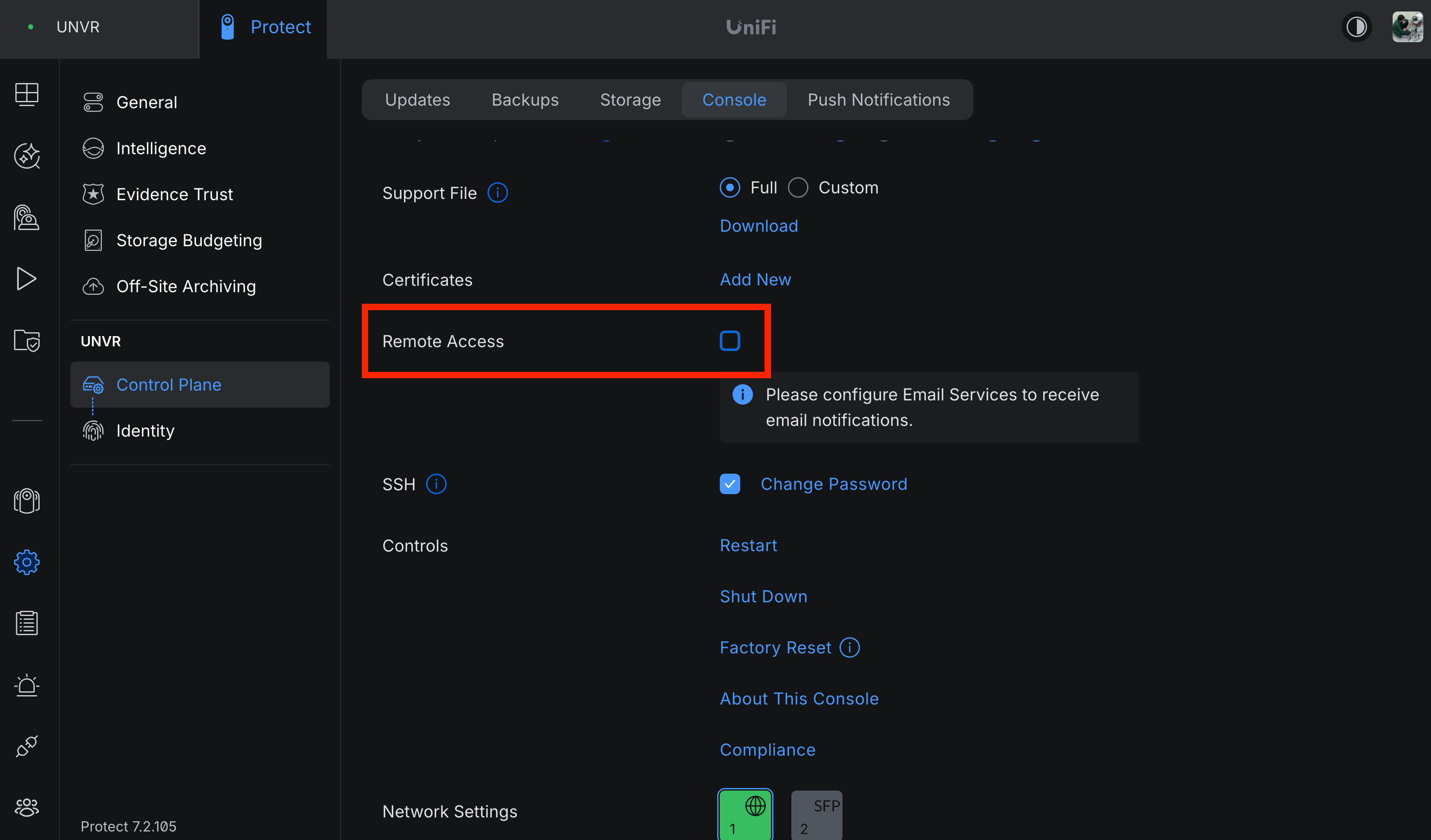
It’s not broken down into scopes like, “Thumbnail Read Only”, “RTSP Read Only”, etc. Nope. It’s one big toggle that gives you all, provided you agree to the terms, or nothing—just leave it unchecked.
I imagine a customer who doesn’t want to deal with VPNs or tunnels would enjoy having that all managed for them upon the click of a toggle and signing into their UniFi Cloud account. But at what cost?
Home Assistant to the rescue
If you’re running a UniFi Protect setup, chances are you’re also running Home Assistant. If you’re not, don’t worry, there's other solutionsFor instance, you could host a local Python script that accepts webhook GET requests sent from Alarm Manager and have the Python script use the, for example, Pushover API. That may actually be simpler., but those won’t be covered in this post.
UniFi Protect has a very robust Home Assistant integration, maintained by community member @RaHehl, and their documentation page even includes an example for notifications, but unfortunately, that one didn’t quite work for me.
Here’s where I landed after a few hours of tweaking the automation, triggering smart detection events, and more tweaking.
alias: 'Notify: Person or vehicle in driveway'
description: ''
triggers:
  - trigger: state
    entity_id:
      - event.driveway_garage_smart_detection
      - event.driveway_west_smart_detection
conditions:
  - condition: template
    value_template: >-
      {{ trigger.from_state.state != 'unavailable' and
      trigger.to_state.attributes.event_type in ['person', 'vehicle'] }}
actions:
  - delay:
      hours: 0
      minutes: 0
      seconds: 2
      milliseconds: 0
  - action: notify.all_phones
    data:
      title: '{{ detection_type }} {{ detected_label }}'
      message: '{{ msg_subtitle }} · {{ outdoor_temp }}'
      data:
        url: '{{ click_url }}'
        attachment:
          url: '{{ attachment_url }}'
          hide-thumbnail: '{{ hide_thumbnail }}'
          content-type: '{{ content_type }}'
  - delay:
      hours: 0
      minutes: 0
      seconds: 5
      milliseconds: 0
mode: single
variables:
  click_url: unifi-protect://deeplink_v1/
  nvr_id: '{{ config_entry_id(trigger.entity_id) }}'
  event_id: '{{ trigger.to_state.attributes.event_id }}'
  detection_type: '{{ trigger.to_state.attributes.event_type | capitalize }}'
  msg_subtitle: in the driveway
  attachment_url: /api/unifiprotect/thumbnail/{{ nvr_id }}/{{ event_id }}
  content_type: jpg
  hide_thumbnail: false
  detected_label: detected
  outdoor_temp: >-
    {{ states('sensor.thermometer_patio_temperature') }}
    {{state_attr('sensor.thermometer_patio_temperature', 'unit_of_measurement') }}
Damn, that’s clean. 💅
Let’s walk through it, shall we?
- Among a group of cameras, whenever a smart detection event’s state changes, fire the automation in single mode.
- Check if the event’s “From” state’s
stateattribute value is notunavailable—that’s what happens when Home Assistant (or the integration) restarts and restores the previous state. This will cause duplicates unless we gate for it. - Check if the event’s “To” state’s
event_typeattribute value is either a person or a vehicle. - Wait 2 seconds—this gives UniFi Protect time it needs to generate and crop the thumbnail.
- Construct the
notifyaction data using a bunch of variables, like my weather station’s temp reading and the formatted event type. This targets a Group Notify, a lesser documented feature in Home Assistant’s server and companion app. You need to edit yourconfiguration.ymlmanually to set that up. - Wait another 5 seconds (this prevents dupe notifications being fired back-to-back within milliseconds, e.g. if a camera is very close to another and the subject of the smart detection walks across them both, you wouldn’t want two notifications for essentially the same event).
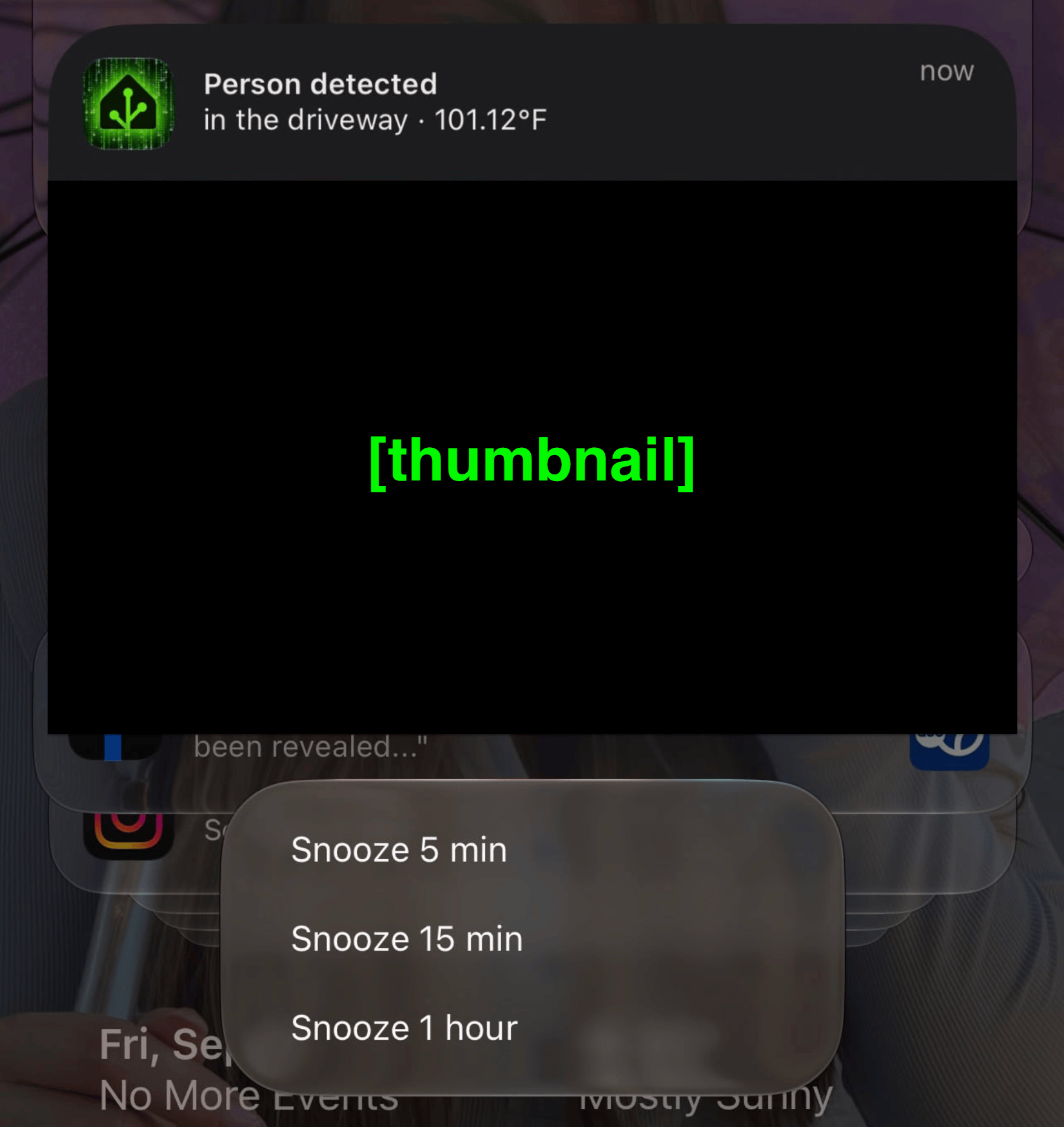
It’s at this point I can uncheck “Remote Access” in UniFi Protect and sleep soundly knowing that the Nickolas Sharp-type, or Flock Security sales rep-type, can’t watch my private RTSP feeds.